


Today is the first day for not one but two new classes, a section of English 101 and the new online magazine writing course. Well, actually, the mag course officially started yesterday, but not much is going on other than to answer the occasional plaintive “I can’t make Blackboard work” message.
LOL! Neither can I, kiddo!
These eight-week courses are great. Because they move right along, you don’t have to pad them with a lot of time-wasting busywork (if it’s busywork for them, it’s busywork for you, too—you end up having to read the stuff!), so you get through the essential course material in a timely way. If the section that just ended is representative, the shorter format attracts more ambitious and motivated students, so you have better retention and overall better effort on the part of classmates. And if one of them turns out to be a shade on the troublesome side, you get them out of your hair quickly, instead of having to deal with a problem child through 16 long weeks.
Offer letters were supposed to have gone out yesterday, so when I get to campus one should be waiting for me. We’ll see if the Boss has granted me the much-needed three sections next semester, and if more than one of them will be in the eight-week format. We’re doing a repeat of the magazine writing course in the spring, the current one having filled right up. So I’m hoping he’ll clone my fall schedule, which has been pretty easy to deal with, work-wise.
Some time back I came up with the idea of managing time by blocks dedicated to specific activities. This weekend I engaged a new tool for the purpose—offspring of a Doh! Why didn’t I think of this before moment. Google’s calendar is perfect for dedicating chunks of time to particular types. You don’t have to be logged in to an Outlook account to get it to give you a reminder; it’ll ping you through any e-mail address. And the calendar, IMHO, is somewhat easier to use than Outlook’s.
Over the weekend, I went through my semester calendar, noted each due date, estimated the amount of time required to grade each assignment, figured out when I could devote that much time to it, and then entered the assigned slabs of grading time into Google Calendar. The result:
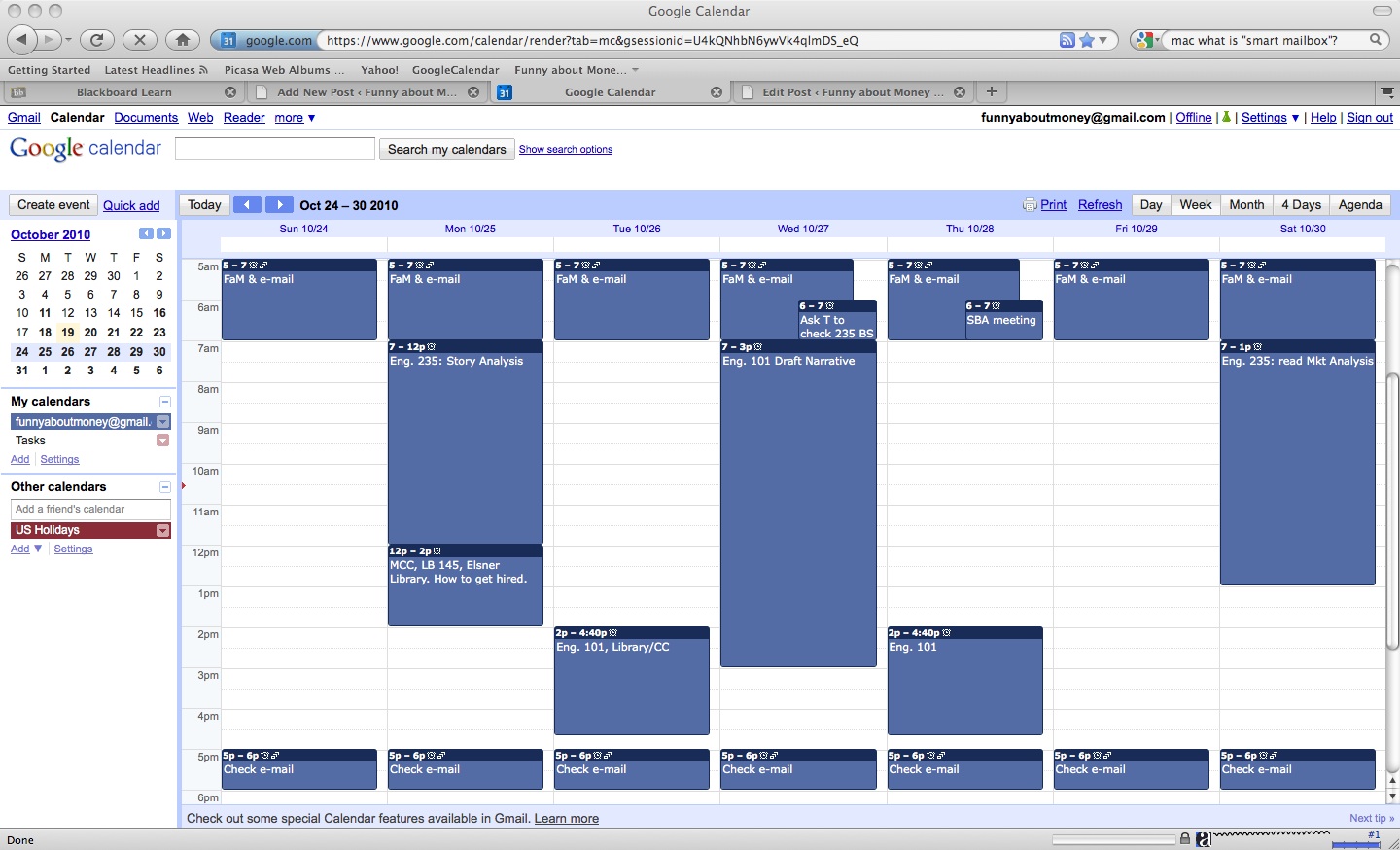
It remains to be seen, of course, whether I’ll actually stick to this scheme. If I can, it should help to get the workload under control.
One way or another, though, it presents an interesting little revelation. Look at how much time is left free after I’ve supposedly done all the work associated with these two courses and FaM!
What, one wonders, have I been doing sitting in front of a computer 14 hours a day?
Well, one thing is answering the e-mail. Five new messages have come in during the ten minutes or fifteen minutes it’s taken me to write this much copy and upload that image. I’m constantly diddling with the e-mail. So I’ve decided that I should take a leaf from other bloggers’ books and limit e-mail reading to early morning and late afternoon. And just this moment, it’s {click!} Off with MacMail! Command-Q: Quit Mail!
The other vast time-waster for me is cruising the Internet. It’s hypnotic. I spend way too much time cruising news sites (CBS Marketwatch: Dow is down 1.2 at 11,010, but eek! it was down below 11,000 earlier today) and reading other people’s blogs. When I’m working during the school year, I need to get a grip on that. There have to be better ways to spend those nice clear spans of free time!
Matter of fact, I think I’ll go for a bike ride.
Later, folks!
🙂
Image: Alvesgaspar. Shepherd Gate Clock at the Royal Observatory, Greenwich. GNU Free Documentation License.
 from which this article was spun).

