Coffee heat rising

New Robocaller Exploit? Or…just coincidence?

I think — being the paranoiac that I am — that a robocaller just broke one of my landline handsets. As you know, I now subscribe to NoMoRobo, which works with amazing effectiveness against telephone pests. And you can be sure that the electronics the pests use can detect the presence of NoMoRobo when the program derails incoming nuisances.

So this afternoon the phone jangles. Caller ID reads, weirdly, Welcome! Please wait…

WTF?

So I wait for it to ring through to my voicemail so I can capture their data and, if as suspected it’s a sales pitch, I can hang up on the bastards. When they give up, I click on the “last call” button to capture the phone number and caller ID so as to send it along to NoMoRobo, which collects this stuff. And what I got was…NOTHING.

Blank. Nothing. Dead as a doornail.

Well, f**k.

So I tried another phone set, and from that was able to download the (without a doubt spoofed) phone number. Sent this and a report of the exploit along to NoMoRobo.

But…this is a new one. That phone was not out of juice. It was sitting on a charger when I picked it up. And yeah, the charger was plugged in. So drained was it that it took about ten minutes for the handset to come back to life.

Now, you know and I know that I am batsh!t crazy. With that in mind, you will have to add whatever grains of salt you choose to this speculation:

I suspect that somehow they did something to disable my phone.

We know this is possible for cell phones: the technology exists to drain a cell phone’s power. Maybe this works on a battery-operated landline extension????

Why? Somebody out there (not surprisingly) really, REALLY does not like people to subscribe to NoMoRobo.

Anybody had this experience before?

Receipt Eradication…

So as you know if you’re been around here long, the ‘Hood is not the most halcyon corner of Lovely Uptown Phoenix. The area is richly decorated with homeless drug addicts, most of whom are harmless. More alarmingly, it’s frequented by burglars, car thieves, porch pirates, and assorted other interesting wildlife. One species of these is the identity thief. These creatures scavenge in the garbage and recycling bins, searching for pieces of paper bearing someone’s identifying information. About 95 percent of the junkmail that the postman brings — just about all that he brings these days, by the bushel — fills that bill. But it can easily be disposed of with my current crook-repellent scheme: drop it in a plastic bag with some dog mounds and a little water and let it marinate for awhile before throwing it in the garbage. That’s fine for the usual junk mail and credit-card offers…but credit- and debit-card receipts are a different critter altogether.

And by this time of year, I’ve got a lot of them. I like to hang onto receipts for awhile, lest I need to return something, confirm that a charge was actually made, or ask some question about a purchase. After a year of stashing random pieces of paper into storage, there’s enough kindling there to set fire to the Parthenon.

Getting rid represents what we call, in capital letters, A Nuisance. My paper shredder will only handle a few at a time. Sitting there running fistful after fistful of receipts through that thing is a time-consuming, eye-glazing hassle. But it’s also a hassle to drive the junk down to the annual community Shred-Fest, stand in line, and keep an eye on the proceedings to be sure whatever you put in there actually does get ground up.

T’other day an INSIGHT visited me: the stuff that’s used to print receipts isn’t actually ink. It’s a sort of powdery substance that’s shot on the (interestingly health-threatening) paper in the shape of letters and numbers. Maybe…just maybe the stuff would rinse off in water. If it would…well! Then you could take the whole pile of debris, toss it in a bucket, pour some water and detergent and maybe a shot of Clorox over it, and voilà! Problem solved.

A brief experiment with this idea showed that, amazingly enough, it works. You don’t even have to swish the paper scraps around in the water: get them wet, and the printout (not the ads on the backsides) fades right away.

Hm. No grinding. No schlepping. No burning. Nice!

Now, there’s one thing you should be aware of, and that is that cash-register receipts are printed on paper that contains toxins: BPA and BPS. This stuff, you don’t want to get on your hands…or inside your pockets, or inside your wallet. But of course you can’t help that unless you decline to accept a receipt or ask for an emailed receipt (creating yet another time-sucking hassle). At any rate, you certainly don’t want to burn these things in the family-room fireplace.

Wot the hell: after seven decades of wallowing in cash-register receipts, I have yet to die. But still: knowing about yet another health hazard, you’ll want to minimize your fiddling with the things — maybe use rubber gloves during the elimination process.

So here’s how this went:

  1. I dumped the collected receipts in a plastic scrub bucket.
  2. Then poured in just enough water to cover them — added a squirt of Dawn detergent.
  3. Let it set while I went on about my business.
  4. Couple hours later, came back to find a bucketful of blank receipts.
  5. These I poured into a sturdy black lawn bag (new, leak-free) set down inside a plastic trash can so as to simplify holding it open.
  6. Dumped the last few days’ collection of dog mounds in on top of the slurry and quickly tied off the top.
  7. Dropped the package into the alley garbage bin.

The papers were already dissolving, so except for the plastic bag (and the BPA…and the BPS…), this stuff should biodegrade fairly fast. You can buy compostable plastic lawn bags at the Depot and at Amazon, and those would be the things to use for this purpose. And for just about any other bagging purpose.

Finally, step 8: wash out the scrub bucket.

Since this bucket is used for mopping the floors, obviously I didn’t want the BPA and the BPS smeared all over the house. It probably would be better to use an old paint can and reserve it just for this purpose. But not having one around…  I placed the bucket in the garage work sink (do not clean out the bucket in a bathroom or kitchen sink or tub, or in any sink that’s likely to be used for cleaning clothes or washing dishes). Dumped in some more Dawn and filled it with the hottest water I could draw out of the tap.

Went off and let it set for another couple of hours. Then came back, scrubbed the bucket with a brush, and poured the contaminated water down the drain.

Rinse out the bucket well after this step, obviously.

Do I like dealing with contaminated paper and contaminated water? Hell, no. But in terms of my own health, it’s probably safer to get it wet than to grind it up and spew powdery BPA/BPS dust into the house’s or the garage’s air. For future reference: to avoid exposure to the stuff through this avenue, ask for an emailed receipt or decline to accept a receipt unless it’s for something you might want to return.

Nuisance Abatement: Ads, Phone Calls

Yesterday evening I happened to look at the AdBlocks Plus icon on Firefox. It has a counting feature that reports how many ads are being blocked: a total of 1,204,683 blats, blips, yaks, and yips have NOT reached my eyes or ears since that handy bit of software was installed.

Have you ever noticed that we are endlessly inundated with nuisance advertising? Ever count the number of billboards, ads on billboards, ads on the sides of buses, trucks, and cars, ads inside shopping carts, hulking signs on buildings, and “helpful” messages hanging over the roadway between your house and the grocery store? We’re drowning in nuisance messages. No wonder so many people do drugs: seen in a certain light, it’s a reasonable way to drown out the constant buzz of distraction and advertising harassment.

On this page alone — where I’m drafting this post and no one else sees the page’s contents — the program is blocking eight ads, Right now. At the current P&S Press post, two ads blocked. At the FaM home page: nine. And those are on sites that do not carry advertising! At least, not any that benefits their proprietor. At the Washington Post, where they’ll shut you down unless you disable your adblocker: 30 ads are being blocked on the home page, right this moment. At Google News, only seven, but at the Huffington Post, 81 obnoxious, unwanted messages are being shoved in users’ faces.

Ad Blockers

We tend to get numb to the constant intrusion and, on some level, to block it out of our consciousness. Nevertheless, it’s there, hammering away at us all the time. There are a few tools to help. Though they’re not perfect, they do suppress a fair amount of the static.

Adblock Plus works very effectively and is free. Mine is running on Firefox; I believe you can get it for Chrome, too. This maker also has an app that will supposedly block tracking and advertising on mobile devices. As you can imagine, an effective piece of software like this created quite an uproar among the big-money advertisers who see our time as theirs, our attention as theirs, and us as sheep to be shorn. Consequently, Adblock permits “acceptable” ads to show up, by default…as though there were such a thing. You can, however, disable this function.

Ad blocking is controversial, for the obvious reason that inundating Internet users with nuisance messages is what keeps Web content free. Consequently, some news sites will try to block you when they detect an ad-blocker. It’s possible to get ad-block-blocking programs, but there’s a limit. Truth is, the Internet provides such a tsunami of information that there’s very little out there — possibly nothing — that’s not duplicated or similar somewhere else. So I simply don’t read sites that ask me to turn off my ad-blocker: you can always find the same information elsewhere.

Others will demand that you pay to subscribe to their online content. At the risk of repeating myself: nope. Not that I wouldn’t like to if I were rich as Donald Trump. But I cannot afford to pay to read Web content. Hell, I can’t afford to subscribe to real newspapers and magazines anymore. And certainly cannot pay to look at every random site where I while away my idle time.

Personally, I never found that running ads at Funny about Money was very profitable. At one point, the site had a high Alexa ranking and a lot of traffic, so in theory AdSense (for example) should turn a profit. It did not: at most it would make maybe $10 or $15  a month. This, in return for cluttering my site with junk and serving ads for Scandinavian “escorts” to my readers. Hardly fair pay for the hours it takes to write and wrangle a website! The Guardian, a UK newspaper, reportedly makes about the same from voluntary reader contributions as it does from advertising.

Canning the Spam

One way advertisers try to get around ad-blockers is by blitzing your e-mail with nuisance advertising and “newsletters.” This is more problematic, because it means that you have to manually block each nuisance sender. Chrome has a Webmail ad blocker, and you can get software that will strip ads from Gmail, Yahoo, and Hotmail.  How well this type of software works, I do not know, because I use Apple’s mail program, which so far does not serve advertising to users. Apple mail does, however, serve up plenty of spam. A program called Mailwasher supposedly will block spam from “Outlook, Outlook Express, Incredimail, Thunderbird, Windows Live Mail, GMail, Hotmail, Yahoo, EM Client and every other email program.” Whether it actually works on the Mac platform remains problematic.

Really, about the best you can do is stagger along, day to day, with various stop-gap measures: keep fiddling with your email filter to block incoming nuisances, never respond in any way to spam, hide your email address and do not share it with merchandisers who demand it, use a disposable email address for sites or vendors who demand one, and try various spam filters.

NoMoRobo!

As for the worst aggravation in our Brave New World, phone solicitation by automated robocallers, the answer has arrived if you can get access to it: NoMoRobo. For land lines, this is an application that must be made available through your phone company; some do so, and some do not. For cell phones, there’s an app.

In October 2018 alone, over 5 billion robocalls were perpetrated on unwilling consumers. Our honored legislators are working to pass a law (TRACED) to get a grip on this harassment…but frankly, you know and I know about how well that’s going to work. About as well as the vaunted National Do Not Call List, right? Har har hardy har har! 😀 😀 😀

For the moment — and if experience speaks truth, well into the future — the solution lies not with the government but with you: each consumer has to equip his or her telecommunications devices with call blockers. These come in the form of devices that you attach in-line with a hard-wired phone and as programs that run through the phone company’s VoIP or through cell phone apps.

My first venture in this direction was with the CPR V5000 Call Blocker, a kewl little gadget that you could attach to a landline. When Cox disabled it (you don’t really believe phone companies would get so reluctant to get a grip on the phone solicitation if they weren’t making some kind of profit on it, do you?), for awhile I had nothing and again was receiving upwards of a half-dozen nuisance calls a day, often starting before six in the morning. While it was working, though, the thing was some kind of miracle. It cut the automated pestering down to one or at most two calls a day — sometimes even none. As far as I can tell, it was not blocking real calls from real people.

Cox finally condescended to make NoMoRobo available, for free to its landline customers. As soon as that came online, I signed up for it. This system is working at least as well as the CPR Call Blocker. It’s very easy to sign up for and very easy to use. Both are very effective — incoming nuisances are now back down to one or at most two a day. And apparently once a robocall computer detects that calls are being deflected by this type of device or software, it stops calling the number. As time passes, you get fewer and fewer nuisance calls. The only disadvantage is that NoMoRobo uses the phone company’s simultaneous ring feature, so you get jangled up on the first ring no matter who’s calling. Similarly, a caller that is not registered in CPR Call Blocker’s database will ring right through your phone: you have to manually flag it as a nuisance call,which happens for every spoofed number. In either event, it means if the crooks call you early in the morning, while you’re trying to rest in the afternoon, or while you’re concentrating on a work project, you are going to get interrupted. And when you’re asleep or trying to sleep, one ringie-dingie is as good as an alarm clock.

There are several others. One is Hiya, which apparently works exclusively on cell phones. Same is true for Mr. Number and YouMail. RoboKiller works on both landlines and cell phones, and it has the delicious attribute of a robo-responder that engages whatever live human is on the other end with hilarious time-wasting patter (scroll to the bottom of the linked page to the RoboRadio link!).

Some of these apps have a serious disadvantage in that they access your contacts, an egregious invasion of your privacy. NoMoRobo does not do so, but before installing any other call-blocking app, read the privacy policy.

Grrr!

So it’s all very nice that CPR Call Blocker and NoMoRobo and Mailwasher and AdBlocker put the brakes — to some degree — on the endless pestering and invasion of privacy from advertisers. But still…it’s aggravating as Hell, IMHO. We shouldn’t have to spend time and money to patch up devices and services that we pay for, to protect ourselves from spammers and scammers. It should flat-out be illegal to serve this stuff to consumers — whether by the sp/scammers themselves or by the telecom companies.

If that means we have to pay for content on the Web, then so be it. For most of us, that would mean a lot more limited access to news sources — I would pay for the Washington Post and for Reuters, but that’s about it. It would make researching a subject a lot harder: you’d have to go to a library to get access to information that you can read in your living room right now. But…would that really be a bad thing? Consider how much time you waste cruising the Web. Because the computer is right there, calling softly for you to just enter a few more words in that search bar, you waste far more time than necessary even after you have the answers you needed. Less time spent on the Internet might be a good thing for most of us.


News in the Age of Ad-blocker Blockers

Have you noticed that more and more news outlets are using software that blocks ad-blockers? I happen to hate pop-ups and babbling panes and things that flicker and flash at me, so as soon as a reliable ad-blocker came available for Firefox, I installed it. Works pretty well: 99.9% of ads are squelched, even on YouTube.

But of course, news media make their money by selling you, so it’s not in their interest to allow any ad-blocking shenanigans. At first just a few news organizations had ad-block killer — notably Forbes. Now at least 30% to 50% of them do — and they’re signing on in increasing numbers. Washington Post, one of my stand-by news sources, now makes itself unreadable to people who don’t care to be subjected to distracting ads.

You can install an anti-adblock killer. But there’s a limit. How many counter-counter-counter nuisances do I have to load into my computer? A lot can go wrong with these things…and when it does, what a time-suck! Consider the degree of farting around required to cope with this mess:

  • Check if you have only one Adblocker enabled. (Adblock, Adblock Plus or uBlock Origin)
  • Check if the script manager is enabled (Greasemonkey, Tampermonkey, NinjaKit, etc…).
  • Check if you have installed the latest version of Anti-Adblock Killer Script (Step 3).
  • Check if you have subscribed to Anti-Adblock Killer List (Step 2).
  • Check if Anti-Adblock Killer Script is enabled.
  • Check if Anti-Adblock Killer List is enabled.
  • Try update or re-install Anti-Adblock Killer Script.
  • Try update or re-subscribe Anti-Adblock Killer List.
  • Check if you have another userscript that might interfere with Anti-Adblock Killer.
  • Check if one of these extensions is problematic (Disable Anti-Adblock, Ghostery, Online Security Avast, Donotrackme, Privacy Badger, Disconnect, Blur, TrackerBlock, Kaspersky Anti-Banner, Freebox (Anti-pub), No Script, YesScript, HTTPS Everywhere).
  • Check if, your JavaScript is enabled Test.
  • Remove duplicates Anti-Adblock Killer (Script/List).
  • Remove or disable personal filters.
  • Enable only the filter lists you need, too many can make your browser unresponsive.
  • Force an update Adblocker lists
  • Force an update Script Manager
  • Check if the site is in “Supported Sites” or in “Changelog”.
    • If the site is not in it, please report it here.
    • If it exists, but the script does not work, it probably means that the antiadblocker has changed, please report it here
  • Try with another Browser.
  • Try with another Script Manager.
  • How to disable the update check Settings
  • How to disable the list check Settings
  • How write Adblock filters here
  • Where can report an advertisement here
  • Consult Discussions or Issues

So…no, guys. I don’t think so.

I’m not turning off the ad-blocker: I refuse to subject myself to advertisers’ garbage or allow it to soak up bandwidth that I have to pay for. There’s an easy alternative: don’t go to sites that block your ad-blocker.

Since more and more sites are doing that, what that means basically is I read less and less news.

And y’know what? That’s a good thing! Cruising news sites is one of my worst habits: I waste hour after hour after uncountable hour reading the news in its many Web-based iterations.

Fewer functional news sites = more time for living

The trick to getting the news, then, is simply to go to PBS, NPR, and BBC. I’m willing to donate to PBS and NPR. But I cannot afford to pay to read every news outlet that is required to get a full, reasonably balanced view of what’s going on in the world, nor am I going to subject myself to endless, intrusive nuisance advertising.

NPR’s national website has a news section that covers the nation, the world, politics, business, technology, science, health, and race & culture. Separately, you can go to your local NPR station’s site, and also to local NPR stations in other parts of the country. These often provide superior news coverage — of course, it’s not hard to get superior to a local news station’s play-nooz, but…just sayin’. Just Google NPR plus the local city of your choice; click on the “news” tab at the station’s website.

The daily update of PBS Newshour comes on at the PBS website late in the day — hereabouts, it appears around 5:00 or 5:30. And it’s a yakathon — I personally don’t have a lot of time to listen to talking heads. I can read a news report two or three times faster than a pretty woman or studly man can yap it at me. PBS publishes some transcripts of the Newshour’s content, which is useful.

BBC News is excellent. Coverage is superb, and you can get US and Canadian news at their website, as well as other international reporting.

Of course, this lets out reportage on the talking cows and the two-headed babies. But, alas, truth to tell, we can do without those lurid time-sucks. If you want lurid and freakish, try your local “news” stations, which are usually full of fluff and time-waste. By and large local news outlets do not report news well, but it’s more or less sort of better than nothing.

Heh. Maybe it is nothing. Maybe “nothing” is better than that stuff.

What you get in a blackout…

Another Brave New World “Benefit”

So this is charming: Amazon proposes that (for $250) you give them a key to your home and buy a two-way camera/monitoring device to put at the front door. In exchange, they will send their delivery people — who are side-giggers on a par with Uber drivers, from what I can see — into your home to set packages inside the door.

Well. In the age of package piracy, that sounds in theory like kind of a kewl idea.

But…

What about the dog? the cat? If some guy opened my front door today, Ruby would shoot outside and head for Yuma. No, she would not come back. No, she would not allow some stranger to catch her and put her back in the house. She would be gone. Permanently gone. Lost and gone forever, O my darlin’ Clementine.

If Amazon had owned a key to my front door when Anna the GerShep held forth, they would have had a contract deliveryman without a foot.

Hm. Whose liability would that be? Amazon’s, for coming up with such a dopey idea, or for at least not asking “do you have a dangerous dog laying around the house”? Or the homeowners’, for giving a key to some feckless delivery guy, knowing the dog would remove his foot if he tried to get in when they weren’t home?

Interesting legal question.

And…

Do you really want Amazon monitoring activities at your front door, or anywhere else around your house? Don’t we have enough Big Brother in our lives already?

My god, this stuff is amazing. Who would think Americans would be so hot on “convenience” and “kewl” that we would simply abdicate all pretense of privacy in our lives? It just goes on and on.

Brave new world? Weird new world.

Minor Annoyances of the Day

Dogs…

…park selves at back door and arf. Human gets up (having just barely brushed the seat of its easy chair with its fanny) and lets the dogs out. Dogs go out onto the patio and stand there, staring expectantly at human.

Human: It’s 105 and overcast out here, and you want to go outside and stand?

Dogs: Well, yes. Yes. Of course.

{sigh}

Phone Solicitors…

…apparently are having a phone-solicitor jamboree.

Despite the wonderful call blocking device, quite a few still get through. They do this by spoofing phone numbers that are not in service (reinforcing one’s suspicion that Cox is in cahoots with them: how else would they get such extensive lists of out-of-service numbers?), or simply by calling from numbers that the device has yet to block.

Even the calls that get blocked still jangle my phone: they ring once and then are cut off. This has to do with the way the gadget has to be connected, because of the number of computers and phones and crap that are attached to the incoming cable. In one way, this is annoying: whatever you’re doing still gets interrupted, albeit very briefly. In another, it’s kinda gratifying, because you know the bastards are getting hung up on. The ones that do get through, though, set off your answering machine, so you have to listen to that thing yap. Sometimes they stay on the line long enough to cause the answering machine to pick up the “busy” signal that ensues, so you have to get up, walk to the machine in the back of the house, and delete the voice message that’s going beep-beep-beep-beep-beep….

Today I’ve had at least eight calls, about half of which have gotten through. That’s just while I’ve been here: left the house at 6:30 a.m. and didn’t get back until sometime after 11.

Whoops! There’s another one: the third from “Bountiful, Utah” today!

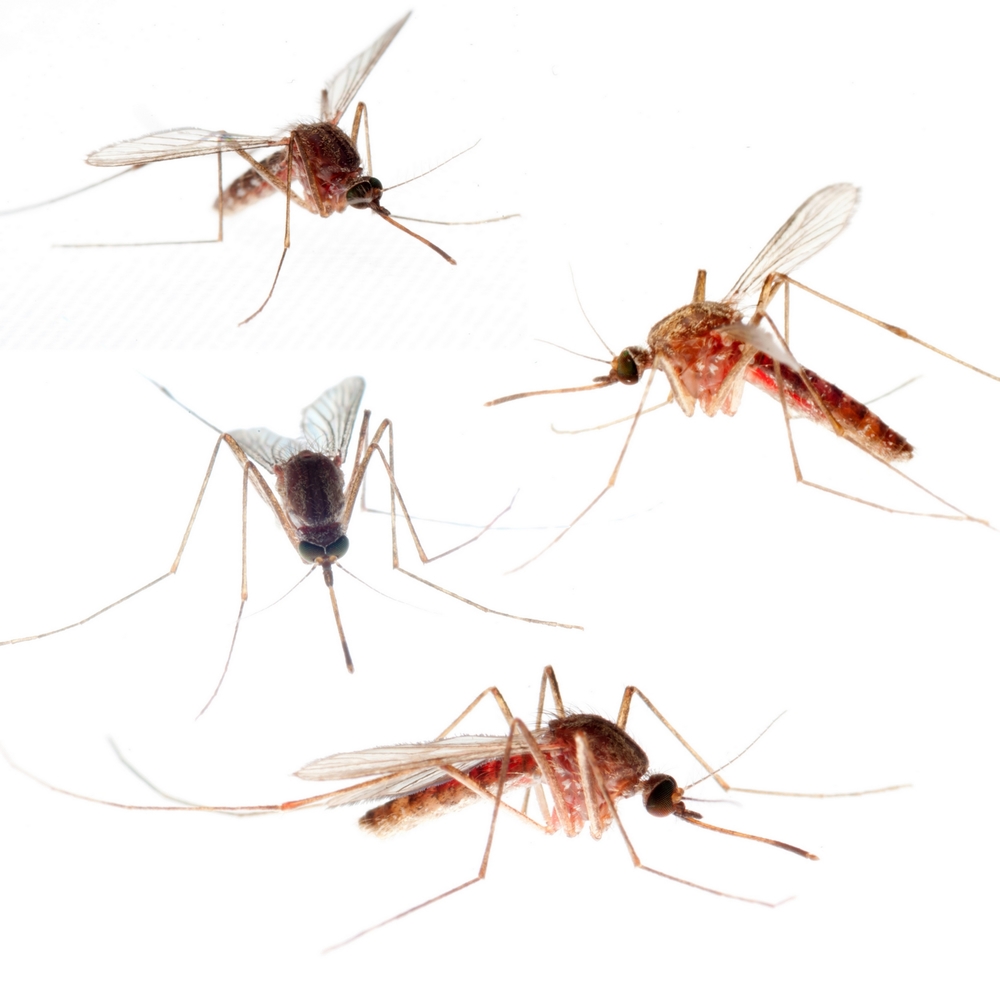
Mosquitoes…

…definitely are having a mosquito jamboree.

Don’t know when I’ve seen so many skeeters around. I think it’s probably because I left a dish of water out for the dawgs while it was excessively hot, because I was afraid Ruby would slip out unnoticed, as she’s inclined to do.

Cassie prefers to lurk indoors, but Ruby will go out and lurk in the yard even when it’s hotter than the proverbial hubs of Hades. I do try to check to be sure she’s inside, but given my growing level of incompetence, the chance remains that she’ll get herself stuck out there in the heat.

Even with water, she wouldn’t last long at 115 degrees. It’s cooled down to 105, so I brought the mosquito habitat inside. But that left, of course, a generation of little biters flying around.

There’s a chemical-free way to keep them from chewing on you, though: turn a reasonably powerful fan to “blast” and point it at yourself. Interestingly, mosquitoes are not very strong fliers, and they can’t navigate well in a breeze. Right now we have a large box fan roaring away. Whenever I work up enough energy to get up, I’ll turn on the other three table fans in this room. The box fan is sitting here next to the sliding door, because I take it out onto the deck at breakfast time by way of discouraging the little biters in the morning.

Incompetence…

…Really? Is it really possible that I could get the date of a Mayo Clinic appointment wrong not once, not twice, but three times?

Entre nous, I begin to doubt it.

The journey from my house to the Mayo is halfway across the galaxy. I just simply HATE driving out there. So when I needed to traipse across town by way of finding out why whatever ails me has been hanging on for the past five and a half months, I was not pleased.

I had a meeting in Scottsdale this morning, which would put me about halfway there. So I arranged an appointment at 9:10. This meant that the errands I needed to do while I was in the area where the group meets had to be deferred until next week, and some of them are things I would like to get done this week, not sometime in the far future.

So I leave the meeting early and fly across Scottsdale headed toward Payson — for reasons I can’t imagine, the Mayo built its office complex damn near out to Fountain Hills, which borders the freaking Beeline Highway. Naturally, Shea Blvd, the only way to get out there, is all dug up with “lane closed” signs all over the place. But I hit the campus just in time: run up the parking garage stairs and race into the reception area, only to be told…

“Oh, that’s not today: that’s next week! :-)”

Son. Of. A. Bitch!

This is the third time I’ve trudged way to hell and gone almost to freaking Fountain Hills and been told the appointment I had on my calendar was not for that day but for a week hence.

The first time, I put it down to my usual old-lady incompetence.

The second time, I was really pissed.

But this time? Now I’m beginning to wonder.

Does it really make sense that I would get the date wrong for a trip I truly hate loathe and despise three times?

I go to a whole lot of doctors, dentists, veterinarians, car mechanics, and whatnot. Why would this keep happening only at the Mayo? It never happens with Young Dr. Kildare or CardioDoc or the glasses guy or the dentist or the hair stylist or the vet or the business meetings or choir…so why would it happen with the Mayo and only with the Mayo? Why would these errors consistently be exactly one week off, when they’re usually made pretty far out in the future? (This one wasn’t: I made it a few days ago, but mostly you’re scheduling three or four weeks down the line.)

(Wow! Here’s the fourth call from Bountiful! This guy just does not give up! Now we’re at about 9 nuisance calls today.)

So, yeah: does it really make sense that this kind of scheduling error would happen only with the Mayo?

If they’re deliberately mis-scheduling, why? Could that make sense in even the wildest scenario?

The only possible reason I can imagine is that the Mayo doesn’t like to deal with Medicare patients. Medicare doesn’t pay enough, and collecting is a hassle for them. The Mayo prioritizes private patients over Medicare patients. They may be quietly trying to discourage me from making appointments at all. If a person makes enough wasted trips — especially if the person is elderly or disabled and it’s hard to get out there at all — maybe she’ll just give up and go someplace else.

And I certainly would, if they weren’t about the only game in town.

Overall hospitals and medical care in Arizona are pretty piss poor. In the Phoenix area, only two hospitals are rated excellent; one is the Mayo and one is a facility way to hell and gone out in Sun City. I don’t know anybody who practices in Sun City, and I sure as hell don’t want to drive as far to the westside as I have to drive to the eastside to go to a doctor.

It’s late. I’ve got to get up and start preparing the walls for the upcoming paint job. And so, away…

Why? Because endlessly annoying Facebook will not pick up the image you want to illustrate your post. It wants to pick up the banner image, which, if it’s generically the same day after day, quickly bores readers or makes them think today’s post is a repeat of yesterday’s. So the only way to force FB to use an image that has anything to do with your post is to change the banner image to fit the subject of the day. That means today’s banner image (a historic photo of four Nazis, for example) bears no relation whatsoever to the topic of yesterday’s post (ruminations on power outages, for example). So annoying.